Full-screen scrolling
Your script fills the screen in large type. Adjust the speed, text size, line spacing and text width, and add a 3-second countdown before it starts.
Works with teleprompter glass
Mirror the text left to right in one click for use with teleprompter glass. A reading line across the middle keeps your eyes in place.
Your phone as a remote
Scan a QR code with your phone to play, pause, change speed and skip sections without going back to the computer.
What it looks like
Log in and open it from your Grids dashboard. It looks like this.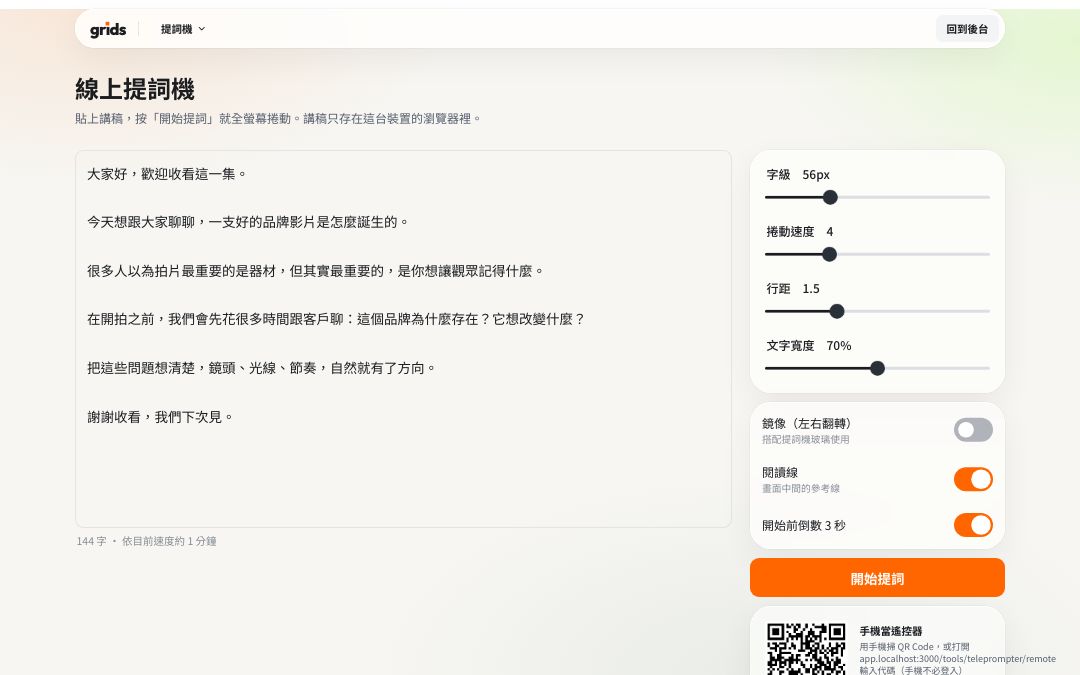
How to use it
Log in to Grids and open the teleprompter.
Paste your script into the text box and set the text size and speed.
Press “Start prompting” to go full screen. To use a remote, scan the QR code on the screen with your phone.
Press the space bar to play or pause, and Esc to exit.
FAQ
No. Your script is stored only in this device's browser. On another computer you'll need to paste it again.
No. Scanning the QR code opens a remote control web page. You don't need to log in on your phone.
All the tools are free and work on the Free plan. Logging in keeps the tools in the same dashboard as your Grids account, and stops features like remote control and sharing from being abused.
More free tools
- 06:30Call sheetFreeCall time, location and crew, with sunrise and sunset added; share with one link
- S01Shot listFreeShot numbers, sizes and camera moves, with running time added up; printable
- NT$QuoteFreeCommon production items, tax and totals calculated; save as PDF
- 17:42Sunrise & sunsetFreeGolden hour and blue hour for every city and county in Taiwan
- 16:9Video calculatorFreeAspect ratio, file size and bitrate, timecode conversion