Common fields as choices
Shot size, angle and camera movement come with common options, so filling in is quick and the wording stays consistent.
Totals as you go
The shot count and total seconds update as you work, so your estimates of running time and shooting time are more accurate.
Tick off shots on set
Check off each shot once it's done, on your phone too. Need paper? Just print it.
What it looks like
Log in and open it from your Grids dashboard. It looks like this.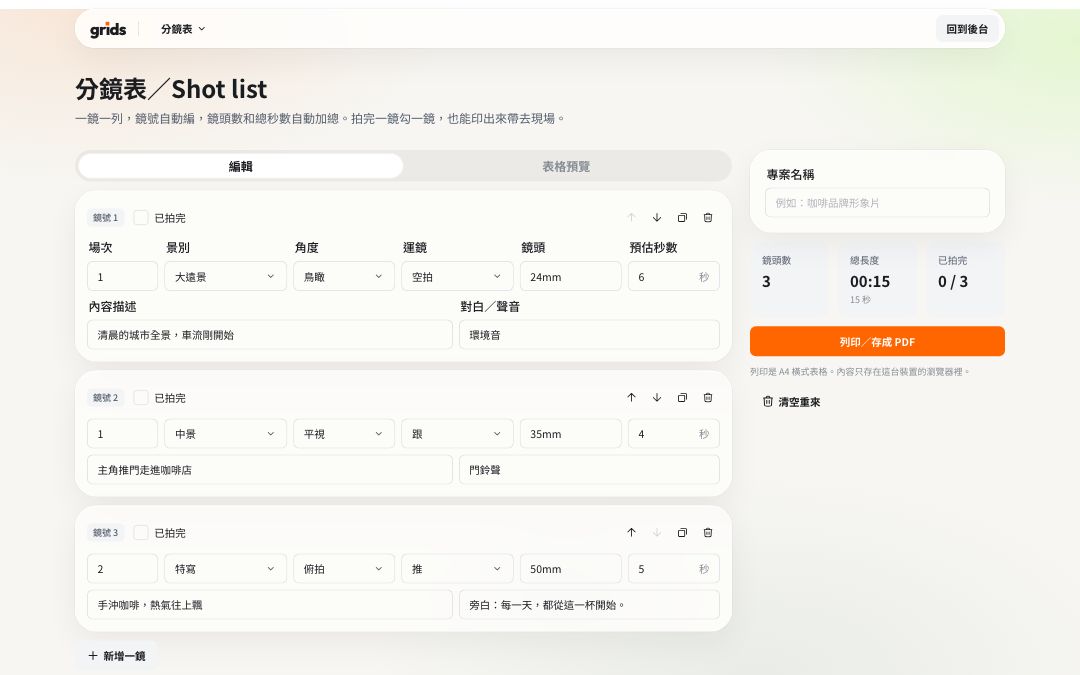
How to use it
Log in to Grids and open the shot list.
Press “Add shot” and fill in the description, shot size and duration.
Move shots up or down to change the order; shot numbers update automatically.
Tick off shots as you film, or print the list to take on set.
FAQ
You can print it, or choose “Save as PDF” in the print dialog.
Your shot list is stored in this device's browser. Clearing browser data deletes it too, so save important shot lists as PDFs.
All the tools are free and work on the Free plan. Logging in keeps the tools in the same dashboard as your Grids account, and stops features like remote control and sharing from being abused.
More free tools
- AaTeleprompterFreeFull-screen scrolling, mirroring, your phone as a remote
- 06:30Call sheetFreeCall time, location and crew, with sunrise and sunset added; share with one link
- NT$QuoteFreeCommon production items, tax and totals calculated; save as PDF
- 17:42Sunrise & sunsetFreeGolden hour and blue hour for every city and county in Taiwan
- 16:9Video calculatorFreeAspect ratio, file size and bitrate, timecode conversion