Common production items
Add director, camera, lighting, sound, editing, color grading, music licensing and more in one click, then fill in your own rates.
Tax calculated for you
Choose 5% tax added, tax included or tax-exempt, and add a discount if you need one. The total updates as you go.
A proper quote format
Includes a quote number, a valid-until date, payment terms and signature fields. Print it or save a PDF to send to your client.
What it looks like
Log in and open it from your Grids dashboard. It looks like this.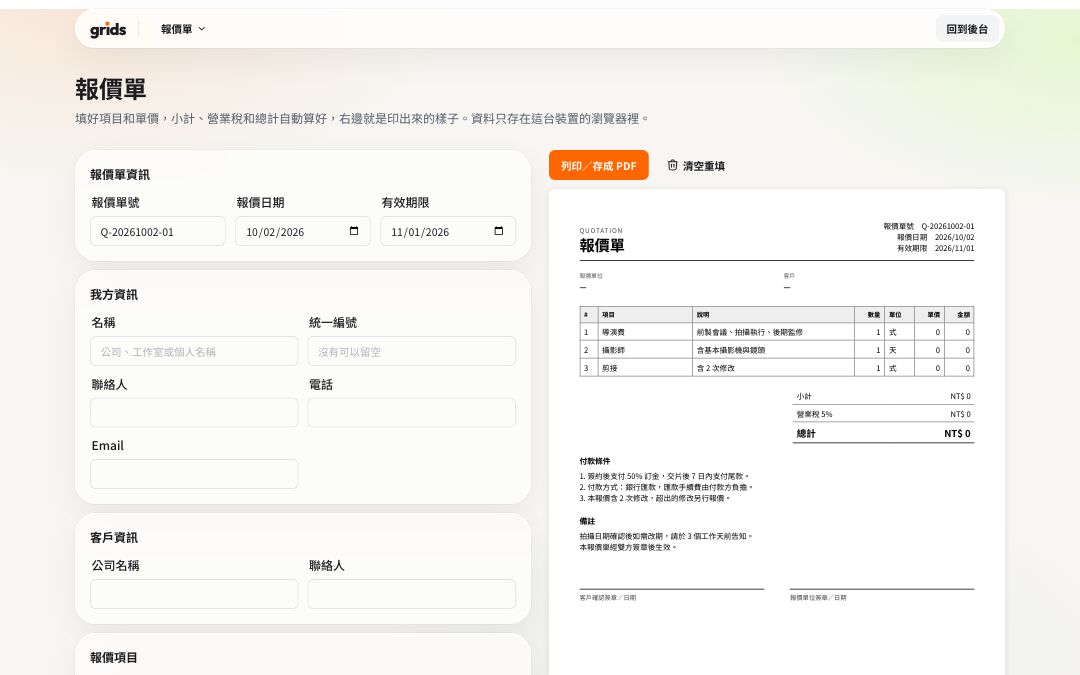
How to use it
Log in to Grids and open the quote.
Fill in your business details and the client's name.
Add line items from the common list, with quantities and unit prices.
Check the tax setting and payment terms, then print or save as PDF.
FAQ
No. They are saved in this device's browser and will still be there next time.
No. A quote is not an invoice; this tool only creates quotes.
All the tools are free and work on the Free plan. Logging in keeps the tools in the same dashboard as your Grids account, and stops features like remote control and sharing from being abused.
More free tools
- AaTeleprompterFreeFull-screen scrolling, mirroring, your phone as a remote
- 06:30Call sheetFreeCall time, location and crew, with sunrise and sunset added; share with one link
- S01Shot listFreeShot numbers, sizes and camera moves, with running time added up; printable
- 17:42Sunrise & sunsetFreeGolden hour and blue hour for every city and county in Taiwan
- 16:9Video calculatorFreeAspect ratio, file size and bitrate, timecode conversion