Every city and county in Taiwan
Coordinates for every city and county are built in. You can also enter latitude and longitude, or use your phone's current location.
Golden hour and blue hour
Calculated from the sun's elevation, with clear start and end times for each period of light.
Switch days quickly
Jump to the previous or next day in one click, which helps when planning a shoot over several days.
What it looks like
Log in and open it from your Grids dashboard. It looks like this.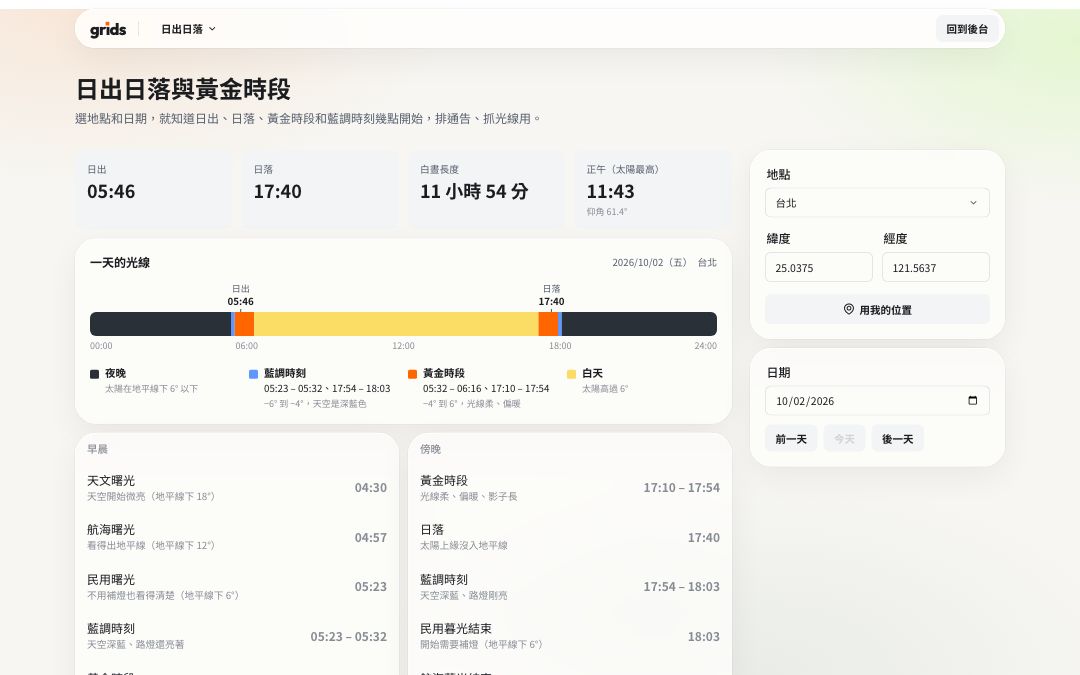
How to use it
Log in to Grids and open Sunrise & sunset.
Choose a city or county, or enter the latitude and longitude of your location.
Pick a date to see sunrise, sunset and each period of light.
FAQ
They are calculated with astronomical formulas and are usually within a minute. Mountains or tall buildings can change when you actually see the sun.
It's when the sun is between −4° and 6° above the horizon. Blue hour is between −6° and −4°.
All the tools are free and work on the Free plan. Logging in keeps the tools in the same dashboard as your Grids account, and stops features like remote control and sharing from being abused.
More free tools
- AaTeleprompterFreeFull-screen scrolling, mirroring, your phone as a remote
- 06:30Call sheetFreeCall time, location and crew, with sunrise and sunset added; share with one link
- S01Shot listFreeShot numbers, sizes and camera moves, with running time added up; printable
- NT$QuoteFreeCommon production items, tax and totals calculated; save as PDF
- 16:9Video calculatorFreeAspect ratio, file size and bitrate, timecode conversion