You used to send several files. Now you send one link.
- Show pages
A page for every production
Choose Stage production as the work type, fill in the company, venue, run dates and director, add the poster, photos and trailer, and the show page is laid out for you, with a ticket button.
- This season
Dates and tickets on your home page
The Upcoming shows block lists dates, venues and ticket links and tucks away past performances automatically. It can also pull dates straight from your productions.
- Production history
Every production, listed by year
The Production history block lists each show by year with its poster, opening venue and creative team. Attach the link to grant applications and venue proposals.
- Cast and crew
Every name links to that person's profile
Tag actors and designers in the credits. Once they confirm, their name links to their profile and the show is added to their own credits.
- Production photos
Press photos ready to download
Production and publicity photos can be offered as full-size downloads, so press and partners don't have to email you for them.
- Company
About the company, the team and press
Ready-made blocks for team members, press coverage and a booking inquiry form: just edit the text and swap the photos.
Templates for stage and screen
Open one to see the full sample site. A template is only a starting point: colors, fonts and blocks can all be changed.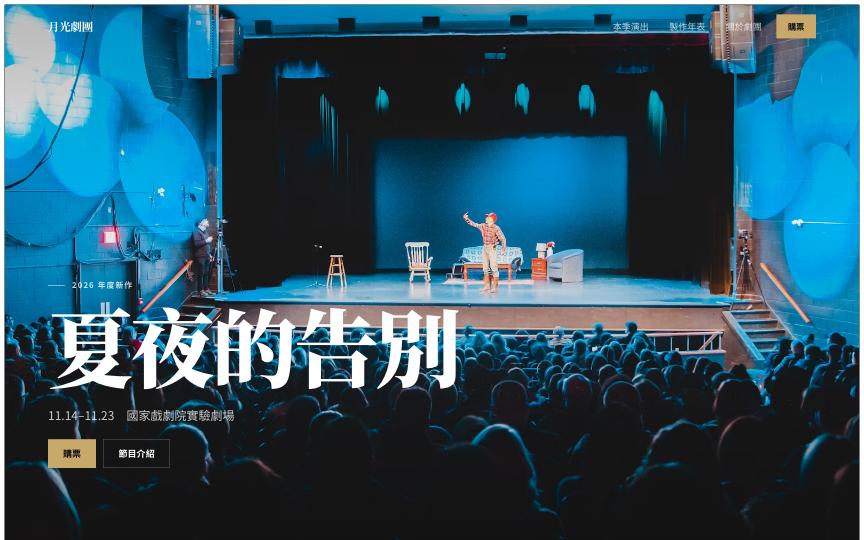 Moonlight TheatreFull websiteFor theatre and production companies: this season's new show and tickets, run dates, past productions, team and press
 Black BoxFull websiteFor stage actors: pure black, one full-screen chapter per show; the stage photos and titles are your portfolio
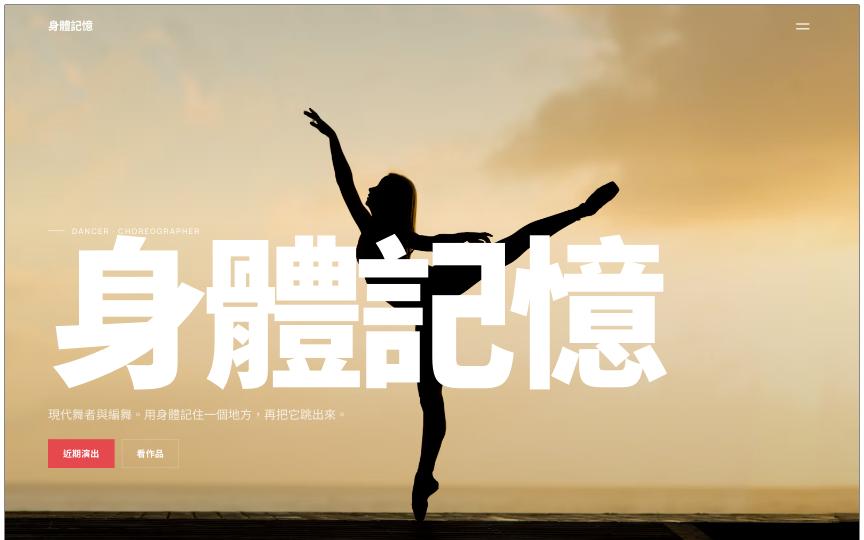 Body MemoryFull websiteFor dancers and choreographers: dance videos, works and upcoming shows; past shows hide automatically
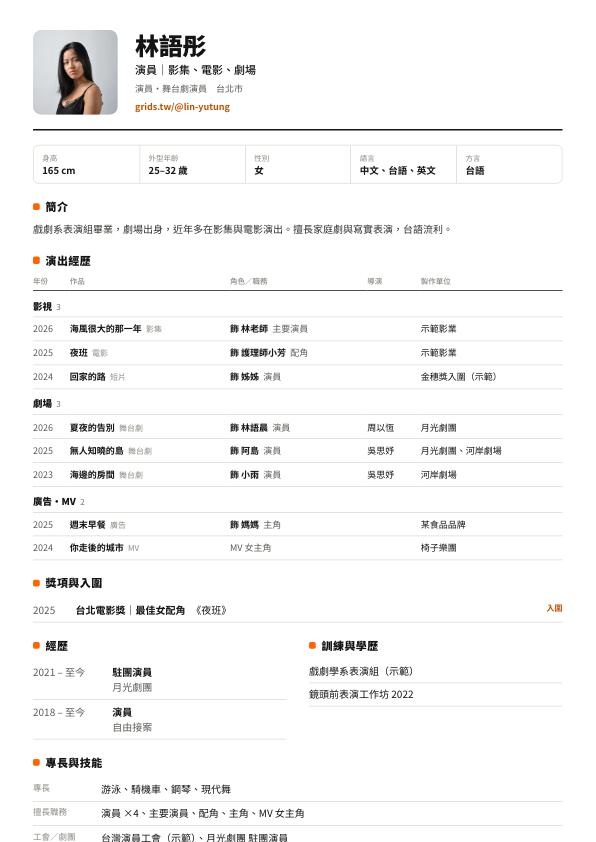
A résumé PDF and a Grids Card, generated for you
Your profile is laid out as a one-page A4 résumé: photo, actor details, credits grouped into film & TV, theatre and commercials, awards, training, and a QR code to your profile. When someone needs a file, click Download PDF; otherwise send the link, which is always up to date.
- You decide whether your contact details appear on the résumé
- When a production tags you in a work's credits and you confirm, it's added to your credits automatically
- Every member gets a Grids Card; scanning its QR code opens your profile
Three steps
- 1
Pick a theatre template
Sign up free and choose one of the theatre templates; your site starts with sample shows and a production history.
- 2
Add your productions
In Works, add a Stage production, fill in the run dates, venue, cast and crew, and upload the poster and photos.
- 3
Publish and share
Put the address on your ticketing page, social media and programme. When you tour or add performances, just update the dates.
FAQ
Yes. An account belongs to one person, but the website can be your theatre company's or production company's site. On the Studio plan you can invite members to edit together.
On a paid plan you can connect your company's own domain, such as yourtheatre.tw, and remove the Made with grids badge.
No. Grids only links to your tickets; keep selling through the ticketing service you already use.
Add your main productions; a poster and a few photos are enough. Your production history and the actors' credits are generated from them automatically.