You used to send several files. Now you send one link.
- Résumé
No more PDF résumés
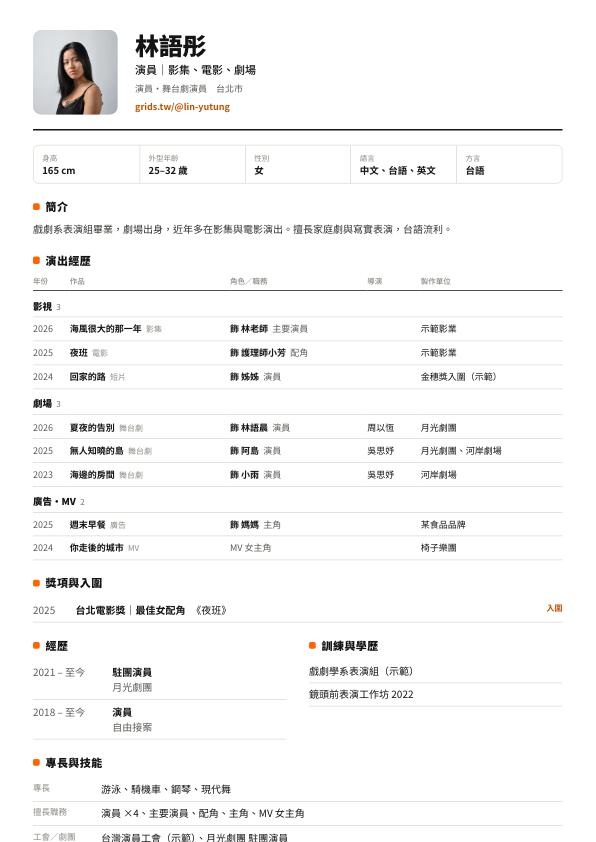
Your profile is laid out as a one-page A4 résumé that saves as a PDF in one click. Day to day, send the link: casting always sees the latest version.
- Actor details
What casting needs, up front
Height, playing age, languages and accents, special skills and agency go into your actor details, shown on both your profile and your résumé.
- Credits
Screen, stage and commercials, listed separately
Your work is grouped into film & TV, theatre, and commercials & music videos, with your role written as “as Ms. Lin”. When a production tags you in its credits and you confirm, it's added automatically.
- Headshots
Headshots ready to download
The headshots block can offer the full-size files for download, so casting and publicity don't have to message you for them.
- Video
Intro video and audition clips
Paste a YouTube or Vimeo link to add a video; unlisted links work too. Videos load only when a visitor presses play, so your site stays fast.
- Shows
Upcoming shows that update themselves
List dates, venues and ticket links. Past performances are tucked away automatically, so you don't have to remember to delete them.
Templates for stage and screen
Open one to see the full sample site. A template is only a starting point: colors, fonts and blocks can all be changed.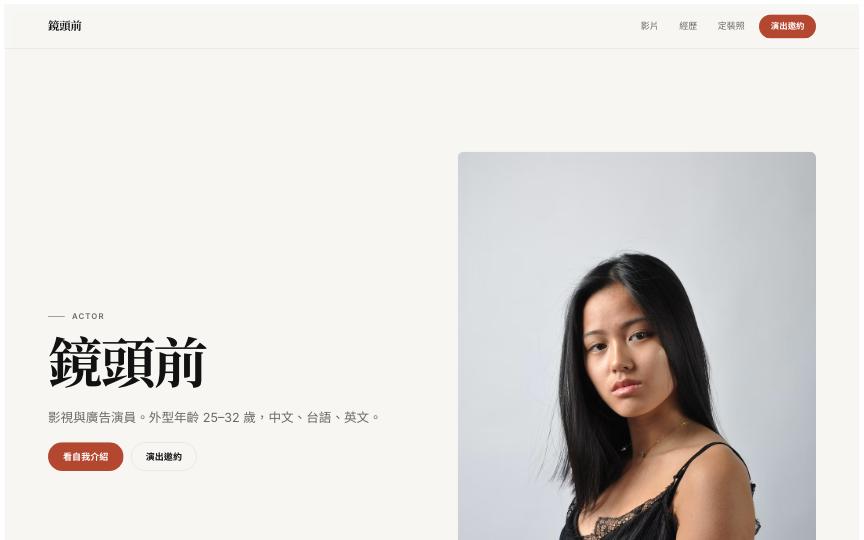 On CameraFull websiteFor screen actors: a self-tape, credits by category and downloadable headshots, all in one link for casting
 Black BoxFull websiteFor stage actors: pure black, one full-screen chapter per show; the stage photos and titles are your portfolio
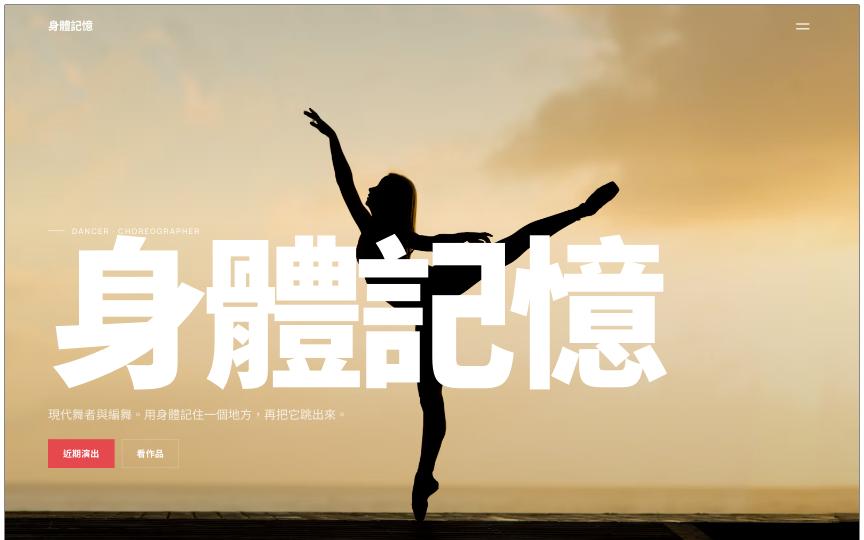 Body MemoryFull websiteFor dancers and choreographers: dance videos, works and upcoming shows; past shows hide automatically
 Golden VoiceFull websiteFor voice actors and hosts: voice samples that play in one click (SoundCloud, YouTube), services, clients and booking
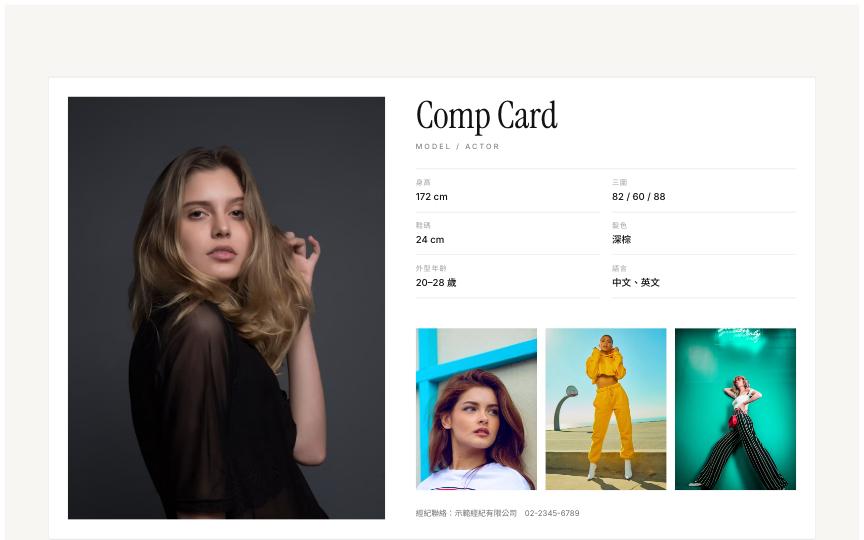 Comp CardBusiness card / link pageA one-page comp card for models and actors: main photo, smaller shots, measurements, downloadable photos and agent contact
A résumé PDF and a Grids Card, generated for you
Your profile is laid out as a one-page A4 résumé: photo, actor details, credits grouped into film & TV, theatre and commercials, awards, training, and a QR code to your profile. When someone needs a file, click Download PDF; otherwise send the link, which is always up to date.
- You decide whether your contact details appear on the résumé
- When a production tags you in a work's credits and you confirm, it's added to your credits automatically
- Every member gets a Grids Card; scanning its QR code opens your profile
Three steps
- 1
Pick an actor template
Sign up free and choose one of the actor templates; your site starts with sample content in place.
- 2
Add your details and headshots
Fill in your height, playing age and agency on your card page, and swap your own headshots and work into the site.
- 3
Share the link
Put it in your Instagram bio and send it to casting directors or agents. When someone needs a file, save a PDF from your résumé page.
FAQ
Your website, profile, résumé PDF and Grids Card are all free. Upgrade when you want your own domain, want to remove the Made with grids badge or need more storage.
Your actor details only show the fields you fill in, and weight can be left blank. By default, your phone number and email are visible only to signed-in Grids members; you decide on your card page whether they appear on your public résumé.
Yes. Leave the agency field empty and put your own contact form or email on your site.
Yes. Choose Stage production as the work type to fill in the company, venue, run dates, director and your role. The work page shows the poster, production photos and the cast and crew list.